
The DynoSure LoggerV1 is a standalone CAN bus data logger designed for the Indian automotive industry. It captures CAN 2.0 traffic to onboard storage in standard Vector ASC and MDF4 (.mf4) file formats - no proprietary software, no vendor lock-in.
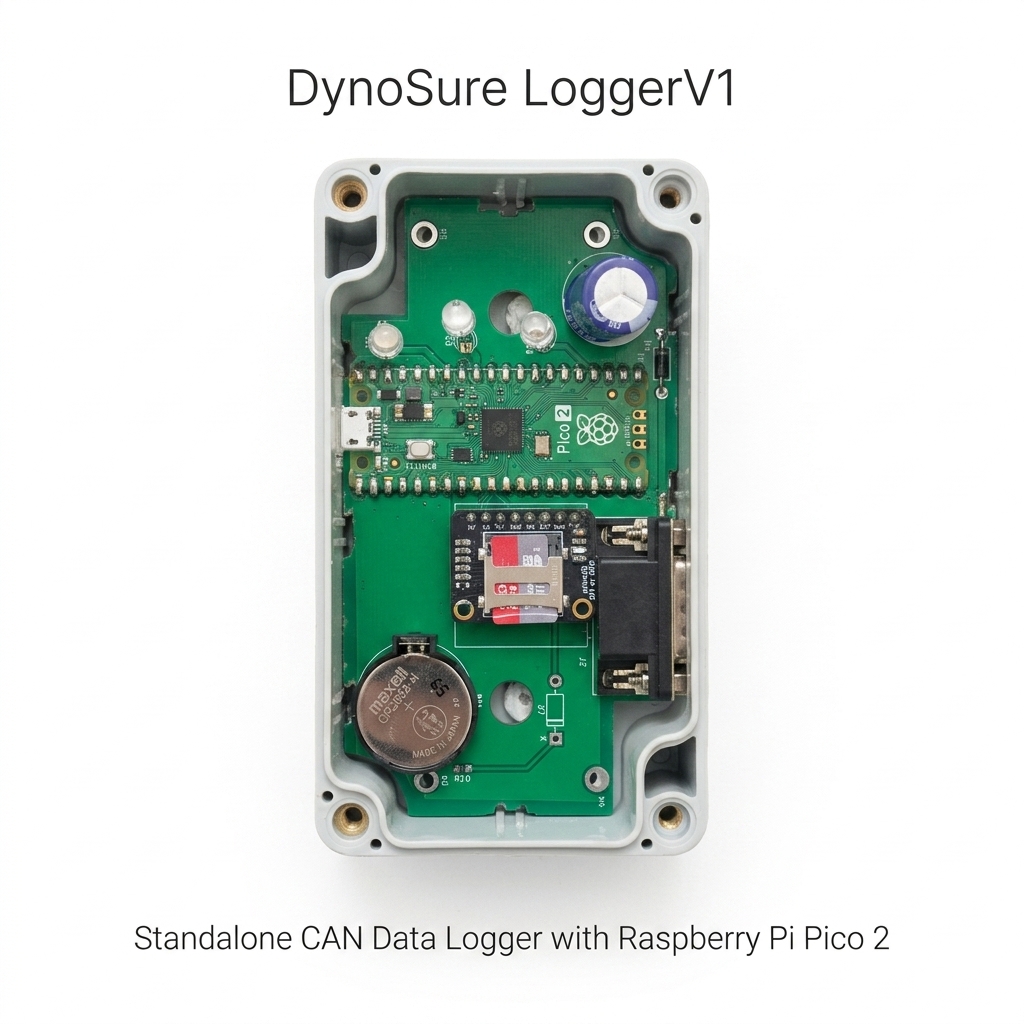
💡 Why Did We Build the DynoSure LoggerV1?
While commercial CAN logging tools are available, many are prohibitively expensive for the Indian automotive sector or trap users in restrictive, closed ecosystems. We wanted to change that by building something accessible and open.
Key Advantages
| Feature | Benefit |
|---|---|
| Open Standards | Logs in Vector ASC and MDF4 (.mf4) formats - compatible with standard CAN analysis and measurement tools |
| Standalone Operation | No PC required during logging - connect, power on, and capture |
| Future-Proof | User-end firmware updates for continuous improvements |
| Cost-Effective | Premium performance at a price point suited for the Indian market |
Specifications
| Parameter | Details |
|---|---|
| Supported CAN Protocols | CAN 2.0A (11-bit Standard ID), CAN 2.0B (29-bit Extended ID) |
| Microcontroller | Raspberry Pi RP2350 |
| USB Interface | USB 2.0 Full-Speed (backward compatible with USB 1.1, forward compatible with USB 3.0) |
Configuration (configuration.txt) | Configured via simple key-value parameters on microSD card root: • Bitrate=1 (500 kbps default), 2 (1 Mbps), 3 (250 kbps)• FileFormat=0 (Vector ASC), 1 (MDF4 / .mf4)• ProgramMode=0 (Normal logging), 1 (Firmware Update) |
| Data Storage | Onboard microSD card for offline CAN data capture |
| Log Format | Vector ASC (.asc) & MDF4 (.mf4) (industry-standard) |
| Logging Features | Timestamped messages, configurable ID filters |
| Power Supply & Operating Modes | • Logging Mode: Requires +12V DC external power supply via DB9 connector (Pin 9: +12V, Pin 3: GND) • USB Mode: USB powered - acts as a standard microSD Card Reader to copy logs to PC |
| Firmware Update | Drag-and-drop .uf2 file into RP2350 drive (set ProgramMode=1 in configuration.txt) |
| Operating Temperature | Extended range - suitable for industrial & automotive environments |
Note: The LoggerV1 supports CAN 2.0A and CAN 2.0B protocols. CAN-FD is not supported on this product. For CAN-FD requirements, see our SLCANv1 or SLCAN GPIO adapters.
⚙️ Configuration & Firmware Update
The DynoSure LoggerV1 is configured by creating or editing a configuration.txt file located in the root directory of the microSD card.
Example configuration.txt
Bitrate=1
FileFormat=1
ProgramMode=0
Parameter Reference
| Parameter | Value | Description |
|---|---|---|
| Bitrate | 1 | 500 kbps (Standard default bitrate) |
2 | 1 Mbps (High speed CAN bus) | |
3 | 250 kbps (Medium speed CAN bus) | |
| FileFormat | 0 | Vector ASC (.asc) industry-standard text format |
1 | MDF4 (.mf4) ASAM MDF standard binary format | |
| ProgramMode | 0 | Normal Logging Mode (default operation) |
1 | Firmware Programming Mode |
How to Update Firmware
- Open
configuration.txton the microSD card and setProgramMode=1. - Connect the LoggerV1 to your PC via USB cable.
- The device enters program mode and mounts on your computer as an RP2350 USB mass storage drive.
- Copy and paste (or drag-and-drop) the new
.uf2firmware file into the RP2350 drive. - Once written, the device flashes the firmware automatically and restarts. Change
ProgramMode=0inconfiguration.txtto return to regular logging.
Downloads
| Resource | Link |
|---|---|
| 📄 Product Datasheet | ⬇️ Download |
| 🐍 Log to Vector ASC Converter | ⬇️ Download |
| ⚙️ ASC to Excel Converter | ⬇️ Download |
Trusted By
- Bgauss Pvt Ltd.
- RTCON Engineering
- Jindal Mobilitric Pvt Ltd.
- MATEL Motion and Energy Solutions Pvt Ltd.
- TRONTEK ELECTRONICS LIMITED
- Lord’s Automative Private Limited
We are committed to providing affordable, open, and powerful diagnostic tools to keep you moving forward.
📞 Need Support or Ready to Order?
- Technical Support: +91 9422556559
- Sales & Inquiries: +91 9898204057
- Email: dynosure.india@gmail.com